- Python 97.2%
- CSS 1.5%
- Shell 0.8%
- Dockerfile 0.5%
| .github | ||
| .vscode | ||
| docs | ||
| great_ai | ||
| scripts | ||
| tests | ||
| .dockerignore | ||
| .gitignore | ||
| Dockerfile | ||
| LICENSE | ||
| mkdocs.yaml | ||
| pyproject.toml | ||
| README.md | ||

 GreatAI
Easily transform your prototype AI code into production-ready software.



Applying AI is becoming increasingly easier but many case studies have shown that these applications are often deployed poorly. This may lead to suboptimal performance and to introducing unintended biases. GreatAI helps fixing this by allowing you to easily transform your prototype AI code into production-ready software.
Example
pip install great-ai
Create a new file called
demo.py
from great_ai import GreatAI

@GreatAI.create
def greeter(name: str) -> str:
    return f"Hello {name}!"
Start it by executing great-ai demo.py, find the dashboard at http://localhost:6060.
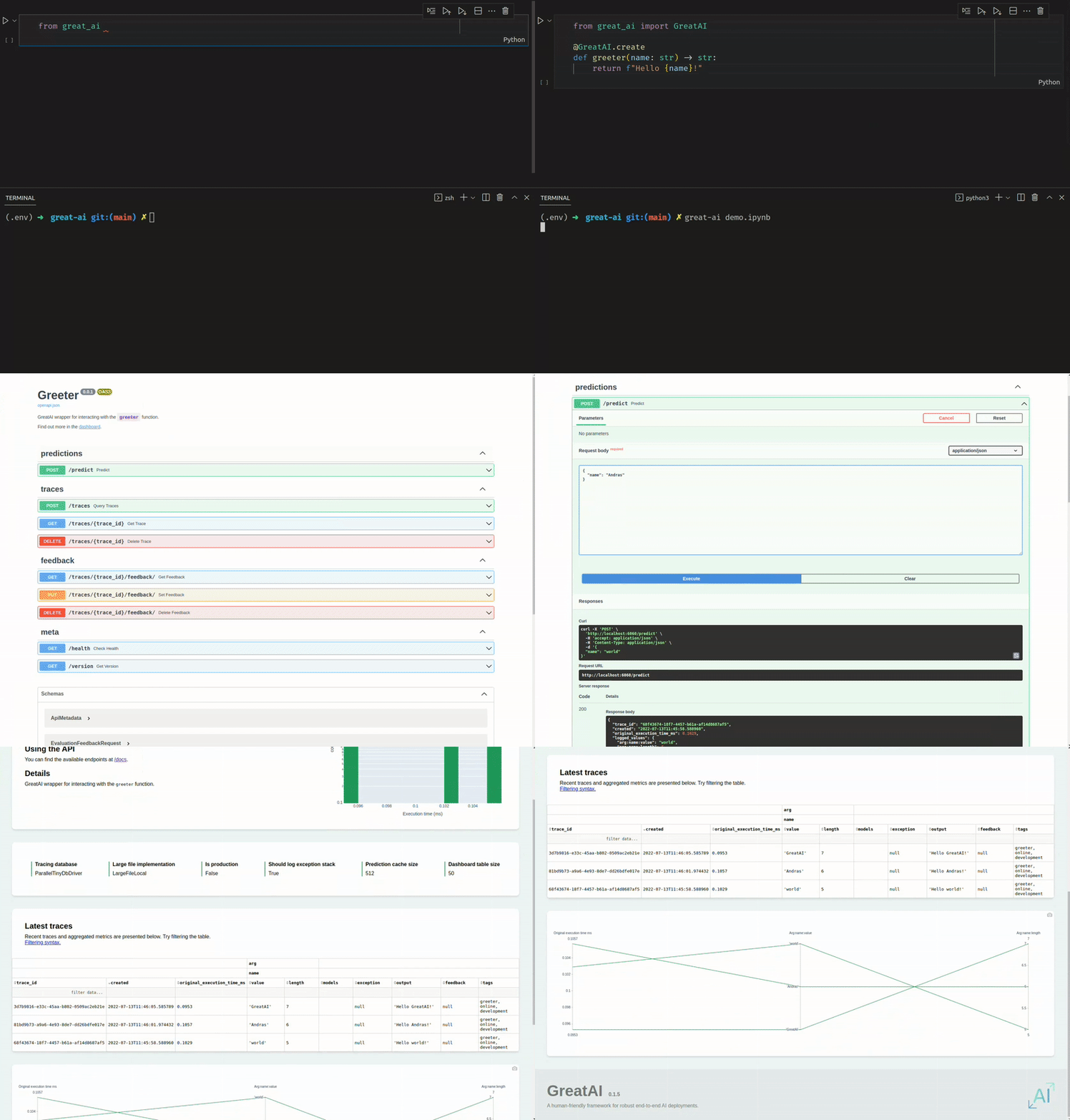
That's it. Your GreatAI service is nearly ready for production use. Many of the SE4ML best-practices are configured and implemented automatically (of course, these can be customised as well).
Check out the full documentation here.
Why is this GREAT?

GreatAI fits between the prototype and deployment phases of your AI development lifecycle. This is highlighted with blue in the diagram. Here, several best practices can be automatically implemented aiming to achieve the following attributes:
- General: use any Python library without restriction
- Robust: have error-handling and well-tested utilities out-of-the-box
- End-to-end: utilise end-to-end feedback as a built-in, first-class concept
- Automated: focus only on what actually requires your attention
- Trustworthy: deploy models that you and society can confidently trust
Why GreatAI?
There are other, existing solutions aiming to facilitate this phase. Amazon SageMaker and Seldon Core provide the most comprehensive suite of features. If you have the opportunity to use them, do that because they're great.
However, research indicates that professionals rarely use them. This may be due to their inherent setup and operating complexity. GreatAI is designed to be as simple to use as possible. Its clear, high-level API and sensible default configuration makes it extremely easy to start using. Despite its relative simplicity over Seldon Core, it still implements many of the SE4ML best-practices, and thus, can meaningfully improve your deployment without requiring prohibitively large effort.
Learn more
Check out the full documentation here.
Find great-ai on PyPI
pip install great-ai
Find great-ai on DockerHub
docker run -p6060:6060 schmelczera/great-ai
Contribute
Contributions are welcome.
Install for development
python3 -m venv --copies .env
source .env/bin/activate
pip install --upgrade flit pip
flit install --symlink
Develop
scripts/format-python.sh great_ai docs tests
Format code.
python3 -m pytest --doctest-modules --asyncio-mode=strict .
Run tests.
mkdocs serve
Serve documentation.